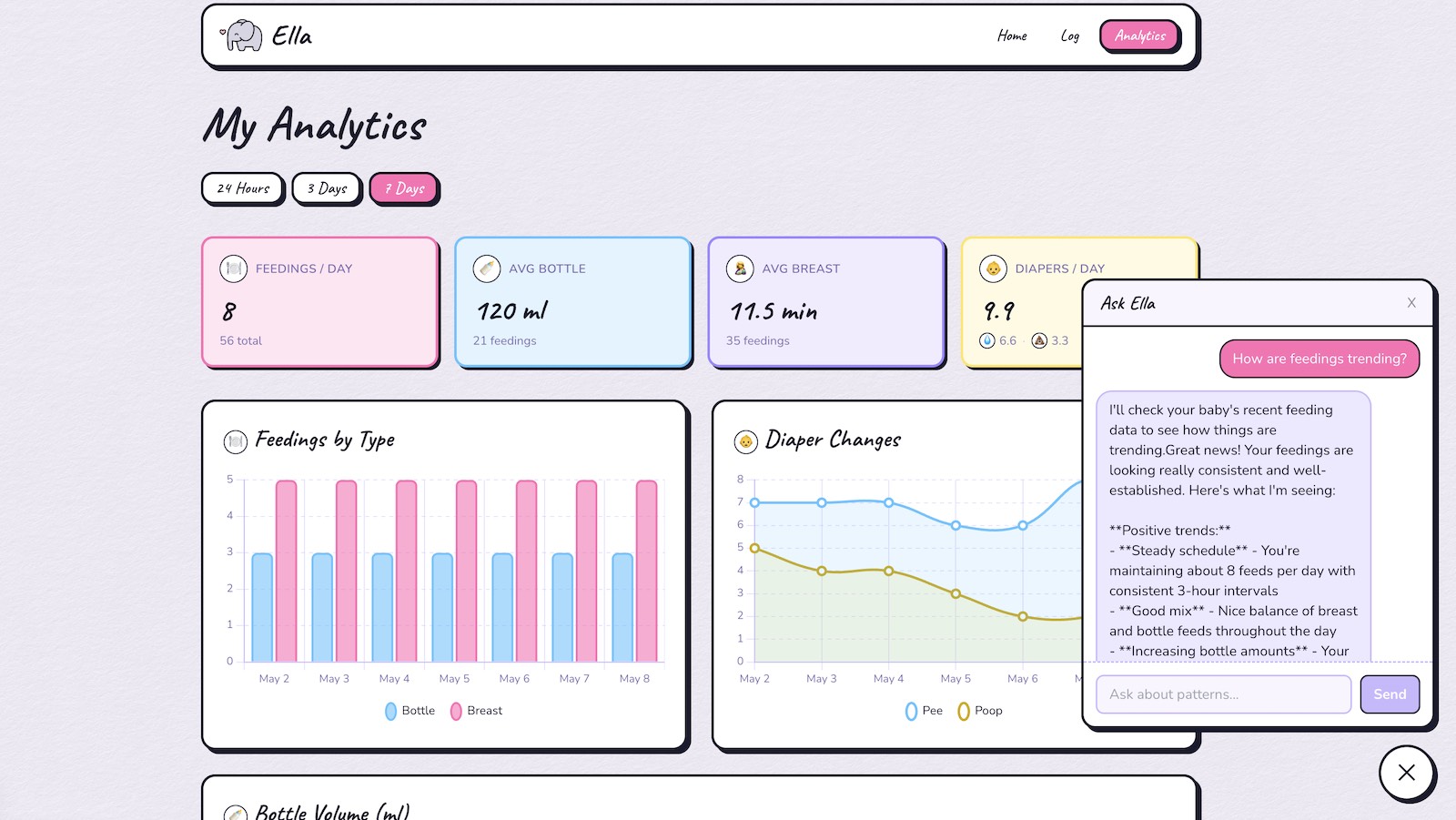
BabyLog is a small Next.js app I built for tracking feedings and diaper changes, and since its mandatory these days, it also features a chat assistant that has access to the historical data and can answer questions about trends and generate analysis on the fly.
The app already had a general purpose analytics page with stat cards and a few Chart.js graphs, covering the obvious questions like how many feedings a day and how much formula on average.
The trouble with charts is that they only answer the questions you built them for, so every new question meant a new aggregation and a new chart to go with it.
Wiring up the AI chat panel allows more flexible analysis, and proved to be the most useful part of the whole app.
What the assistant actually does
The chat panel opens with three suggested questions, to showcase what kind of information the assistant can provide. For instance, “When is poop-free time?” – This turned out to be really useful for planning outings and avoiding on-the-road changes.
The model gets the raw rows back and does the pattern matching itself, so it can tell me the last four days have all been clear between about 1pm and 4pm.
It’s also great at quickly summarizing trends without needing to delve into the graphs and charts. Since, its a full AI chat layer it can also of course reach out to the web to benchmark data as well – of course huge grains of salt that none of this is medically sound.
A single tool call for general purpose analysis
Claude gets at the log through a single tool called get_baby_log_entries.
The tool takes a days parameter clamped between 1 and 30, and the model picks the number itself based on what you asked. “Summarize the last 3 days” comes back as days: 3.
The tool description spells out that the rows carry feeding type, bottle amounts in ml, per-side breast durations, pee and poop flags with timestamps, and free-text comments. This helps the assistant understand what it can reasonably expect to analyze and what is out of scope.
Without it the model would still call the tool, but it wouldn’t know what it was allowed to reason about.
How the streaming loop works
The /api/chat route returns a stream of server-sent events instead of waiting for the full response, because a question that triggers a tool call needs two round trips to the model. Without streaming you’d stare at nothing for the duration.
It sends three kinds of event down that stream: text for each chunk as it arrives, tool_use when the model goes to fetch entries, and done at the end.
The tool_use event simply shows a “Looking up baby data…” bubble while the query runs to let the user know background work is taking place.
The loop around all of this is capped at three iterations, so a model that got into a pattern of calling the tool over and over would stop rather than quietly run up a bill.
Why the data model stayed a single table
Everything lives in one entries table, with the feeding columns and the diaper columns on the same row and most of them nullable.
I went with that instead of separate feeding and diaper tables because a single logged event is usually both at once, and splitting them would have meant a join for no real gain.
A null foodType just means that entry was a diaper change and nothing else, and breast feeds store left and right durations separately so a one-sided feed is honest about it.
The payoff for the assistant is that its tool is one select with one where clause on the date. There’s no join to explain to the model and no reshaping on the way out.
The cost is a table full of nullable columns, which I might regret if this were tracking more than one kid, but it’s a household app and I’d rather keep things simple.
What’s next
Right now the assistant can only read, so logging an entry still means opening the form and filling it out. I designed the form to be quick and intuitive, but allowing log entry through the chat assistant is the obvious next step.
Link this up with OpenWhispr or similar for a voice assistant and hands free late-night logging becomes a lot easier.